What Is a Mesh WiFi System, and How Does It Work at Home?

TL;DR: A mesh WiFi system uses several coordinated wireless access points, usually called nodes, to provide one home network across multiple rooms. It helps with coverage gaps, but it cannot increase the Internet speed delivered by your provider; placement, wired or wireless backhaul, interference, and client devices still determine the experience.
What is a mesh WiFi system?
A mesh WiFi system is a group of access points working together to extend usable wireless coverage. Most home kits include a main unit connected to your modem or Internet gateway and one or more satellite units positioned farther away.
The system usually presents a single network name, or SSID (service set identifier), so you do not manually switch between differently named networks as you move around the house. That convenience should not be confused with a guarantee that every device will roam immediately to the best node.
| Component | What it does | What it does not guarantee |
|---|---|---|
| Main node | Links the home wireless network to the Internet gateway | More ISP bandwidth |
| Satellite node | Offers a nearby radio connection in another room | Perfect speeds through every wall |
| Backhaul | Carries data between nodes | Zero latency |
| Client device | Connects to a nearby access point | Consistent roaming on every phone or laptop |
How does mesh WiFi work between rooms?
Mesh WiFi works by letting your phone or laptop connect to a nearby node while the nodes communicate through a backhaul connection. The backhaul can be wireless radio traffic or Ethernet cabling; the connection between your device and a node is sometimes called the fronthaul.
Imagine a two-story home where the modem is downstairs near the TV and the upstairs office has weak coverage. A second mesh node positioned midway—not inside the weakest dead zone—may offer a stronger path between the office and the main node, improving reliability when a single router cannot cover the area.
- A device connects to a nearby mesh access point.
- The node transfers data to the main unit through wired or wireless backhaul.
- The main unit reaches the Internet through the modem or gateway.
- As you move, the device may reassociate with a better node based on signal and roaming support.
What is backhaul, and why does it affect speed?
Backhaul is the connection that carries traffic among mesh nodes. Ethernet backhaul is generally more predictable because traffic does not need a second shared wireless hop; wireless backhaul depends on radio conditions, channel capacity, distance and the architecture of the kit.
Some systems have a dedicated radio for backhaul, while others share a radio band for client and node traffic. Marketing claims about peak Wi-Fi rates describe theoretical link capabilities, not your guaranteed application throughput, so a room-by-room measurement is more useful than a headline speed.
Is mesh WiFi faster than a regular router?
Not necessarily: mesh is primarily a coverage and connectivity architecture, not an Internet speed upgrade. A strong standalone router can be faster close to the router, while mesh often provides a more consistent experience in rooms that would otherwise have weak signal.
A 500 Mbps broadband subscription does not become 1 Gbps because you add nodes. When measuring performance, test both the connection near the primary router and farther rooms, and compare each against the wired baseline if you can safely connect a laptop by Ethernet.
| Situation | Likely next action |
|---|---|
| Slow beside the main router | Check ISP connection, equipment or congestion first |
| Fast near router, poor in upstairs office | Test placement, mesh or an Ethernet access point |
| Good throughput but laggy calls | Measure latency, jitter and packet loss |
| Poor results on just one device | Check that device’s band, driver and signal behavior |
What are latency and jitter in a Wi-Fi test?
Latency is the delay before a request gets a response, typically measured in milliseconds. Jitter is variation in the delay between successive measurements; large changes can make interactive calls or games feel uneven even when download speed looks sufficient.
Pingsivo’s Internet and Wi-Fi test reports browser-level network indicators and offers indicative interpretation, not a lab certification. The site’s measurement disclaimer explains that HTTP timing includes browser and server work and is not equivalent to an ICMP network ping.
Mesh WiFi vs. a range extender: which should you choose?
Mesh generally makes more sense when several parts of a home have weak coverage and you want coordinated access points. A conventional range extender is often a lower-cost targeted fix for one troublesome corner, but devices may have less consistent roaming or a separate network name depending on the model.
A wired access point can outperform either option when you already have Ethernet available. Instead of buying on terminology alone, compare the cost of cable installation, number of problem rooms, devices in use, placement flexibility and the actual backhaul supported by the equipment.
- Single room with weak signal: try router repositioning or a modest extender.
- Several rooms or two floors: evaluate a mesh kit or wired access points.
- Home office with critical calls: prioritize wired backhaul or direct Ethernet.
- Heavy gaming at a fixed desk: use Ethernet if practical.
Can you add mesh WiFi to an existing router?
Often yes, but the precise configuration depends on your equipment. Many mesh kits can connect behind an existing modem/router, and some support an access-point mode that avoids operating another router and network address translation (NAT) layer.
Check the manual before changing modes: running two routers can create double NAT, which may complicate some games, remote connections or port-forwarding workflows. Wireless devices from different brands should not be assumed to form one interoperable mesh system just because they all advertise Wi-Fi.
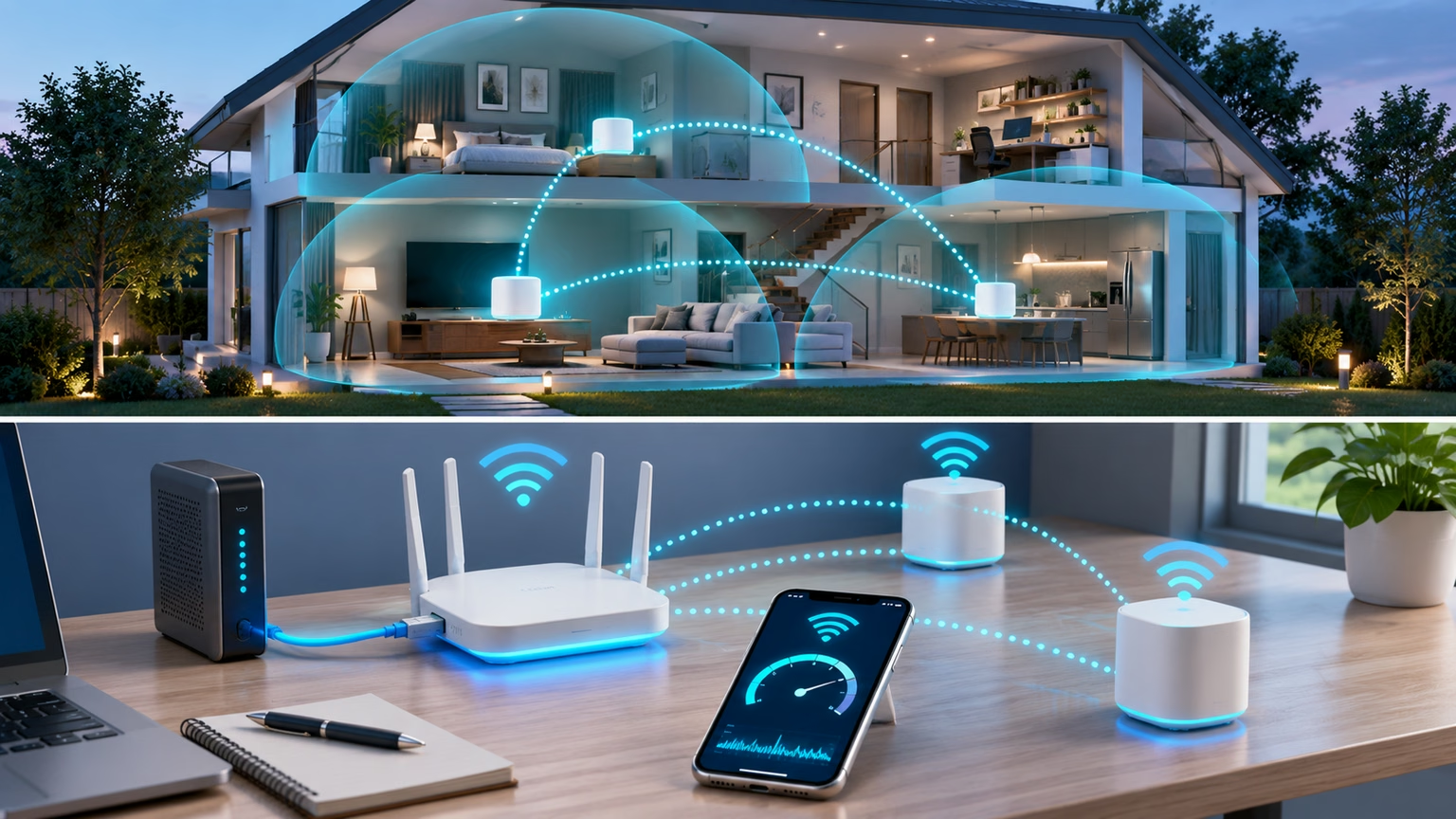
Image: after setup guidance, 1536 × 864, 16:9. Download: Mesh setup and measurement (AVIF). Alt: “3D workstation showing a modem, primary router, satellite mesh nodes and a smartphone network test.”
Where should you place mesh nodes for better coverage?
Place the first satellite where it still receives a reliable signal from the primary unit, rather than in the center of the dead zone. A node with a poor backhaul signal cannot reliably relay high-quality connectivity to devices around it.
Keep units away from thick masonry, large metal objects and enclosed cabinets when possible. Even an attractive shelf location may be poor if the nearest usable route to the main node passes through several dense walls; move the node and retest before buying more equipment.
How do you test whether a new node actually helped?
Test the same device at the same locations before and after the change. Record download speed, upload speed, measured latency, time of day and whether a video call stalls; then compare results under approximately similar network load.
For a useful homeowner experiment, test near the main node, at the hallway, at the far bedroom and where the signal is weakest. Repeat several measurements at each location and focus on the range of results, not just the single highest number.
| Test location | Before installation | After installation | What to evaluate |
|---|---|---|---|
| Near gateway | Record baseline | Record again | Avoid degradation |
| Middle hallway | Record speed + delay | Record speed + delay | Backhaul stability |
| Home office | Record call quality | Record call quality | Improvement to real work |
| Weakest bedroom | Record failures | Record failures | Coverage gap fixed? |
How many mesh WiFi nodes do you need?
Start with the fewest nodes that cover the problem areas. Excess nodes can add radio contention and create confusing device roaming patterns, so more hardware is not automatically better.
The correct number depends on building materials, floor plan, backhaul options, radio placement and device density. Manufacturers’ square-foot coverage labels are broad marketing estimates; a practical site survey and your own measurements are more useful for deciding whether a second satellite is needed.
Is mesh WiFi secure for guests and smart devices?
A mesh network still needs secure configuration, just like any other router. Enable supported strong Wi-Fi security, install vendor updates, use a unique administrator password and activate guest isolation if available.
For smart-home devices, confirm their Wi-Fi band and security compatibility before replacing an existing access point. A separate guest SSID can reduce exposure of private devices to visitors, although actual isolation features vary by kit and must be checked in its settings.
Frequently asked questions
Does mesh WiFi replace my Internet provider?
No. Mesh distributes the broadband connection around your home, while your Internet service provider still supplies the connection to the outside world.
Can I use mesh WiFi with any modem?
Many systems work with a modem or modem/router, but settings and compatibility vary. Review the vendor’s instructions, particularly whether router or access-point mode is appropriate.
Will mesh WiFi go through thick walls?
Signals can pass through some walls, but dense materials and metal can weaken them sharply. Better placement or Ethernet backhaul may help more than adding distant wireless nodes.
Is wired backhaul worth it?
It is often valuable for demanding use cases because the link between nodes does not depend on another wireless hop. The installation effort may outweigh the benefit in a small apartment with consistently good signal.
How do I know if I need mesh WiFi?
Compare performance near your main router with measurements in your weakest rooms. If nearby results are good but distant rooms are poor despite placement changes, additional access points may help.
What should you do next?
Measure your worst room before you spend money, then change one variable at a time. Use Pingsivo’s Internet test alongside real application checks and read its measurement limits so you interpret the numbers correctly.
Verifiable sources
- TP-Link — What is mesh Wi-Fi?: main nodes, satellite nodes, whole-home coverage and backhaul concepts.
- Spectrum — What is a mesh Wi-Fi system?: coverage/use-case overview.
- Pingsivo — Measurement limits and disclaimer: browser-based HTTP timings versus network ping.
- Pingsivo — Internet/Wi-Fi test: actual internal testing destination.
How can you compare your before-and-after readings?
Compare the median of three download readings before and after a change, using the same device and location. The median is the middle of the three sorted values; it does not establish what caused a difference.
Calculated in your browser; no network readings are prefilled.